Tower Defense — C++ vs Unity
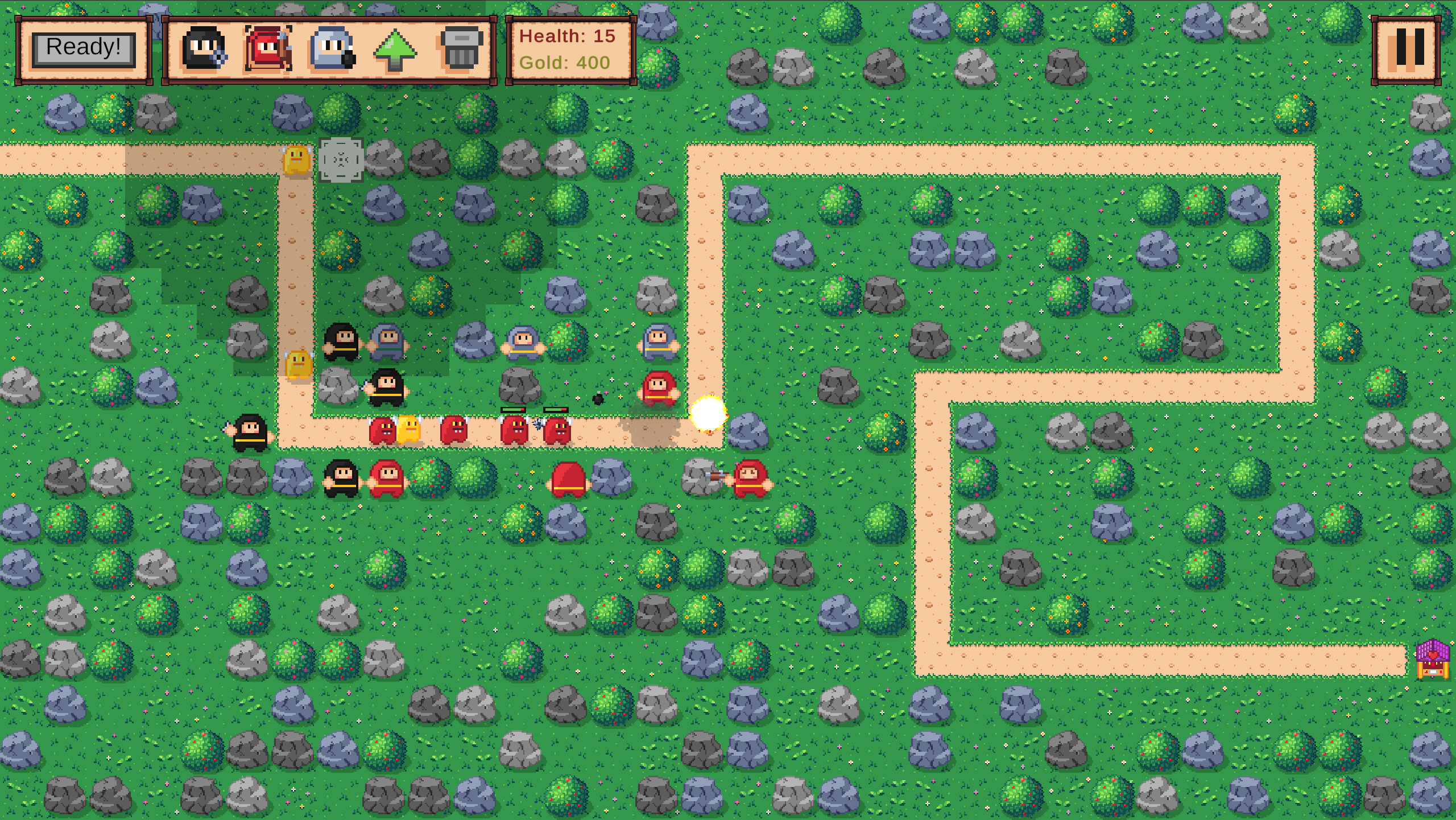
A Tower Defense game built first in C++ with SFML, then recreated in Unity, comparing different development approaches.
I developed the same Tower Defense game twice: first in C++ with SFML, then in Unity with C#. Each version explores different approaches, highlighting trade-offs in control, performance, modularity, and development speed.
Project Context
The objective was to create a 2D Tower Defense game where players strategically place turrets to defend against waves of enemies. The game includes:
- Multiple tower types with unique mechanics.
- Enemy waves with varying behaviors and health.
- A gold-based economy for building and upgrading towers.
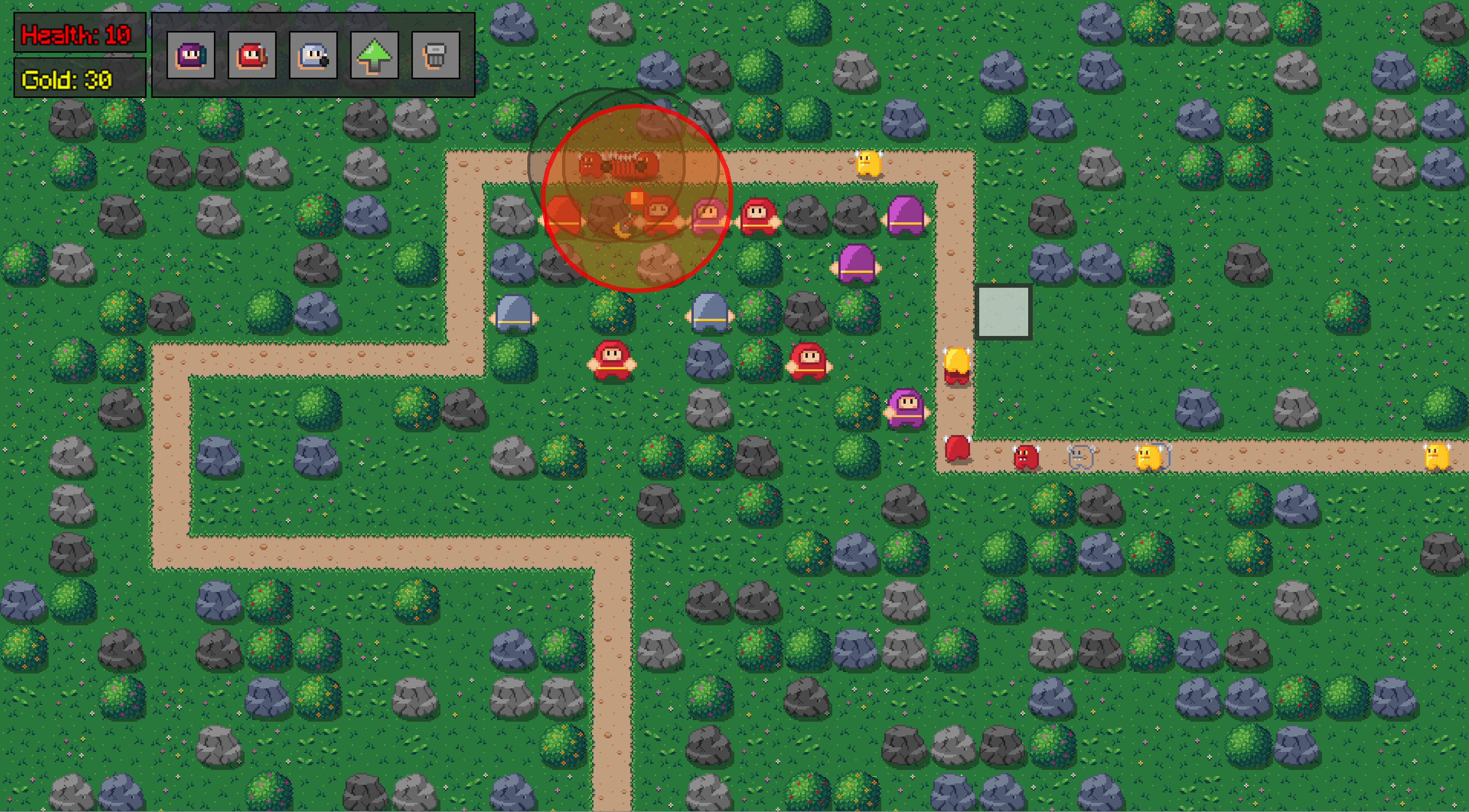
- Projectile mechanics including homing, area damage, and slowing effects.
The two implementations differ in tools and workflow:
- C++ with SFML (3–4 weeks): Everything built from scratch, including rendering, UI, object lifecycle, and game logic.
- Unity with C# (1 week): Leveraging engine features such as prefabs, Scriptable Objects, and built-in UI to recreate the game faster and more polished.
C++ SFML Version
Focused on low-level control and modularity:
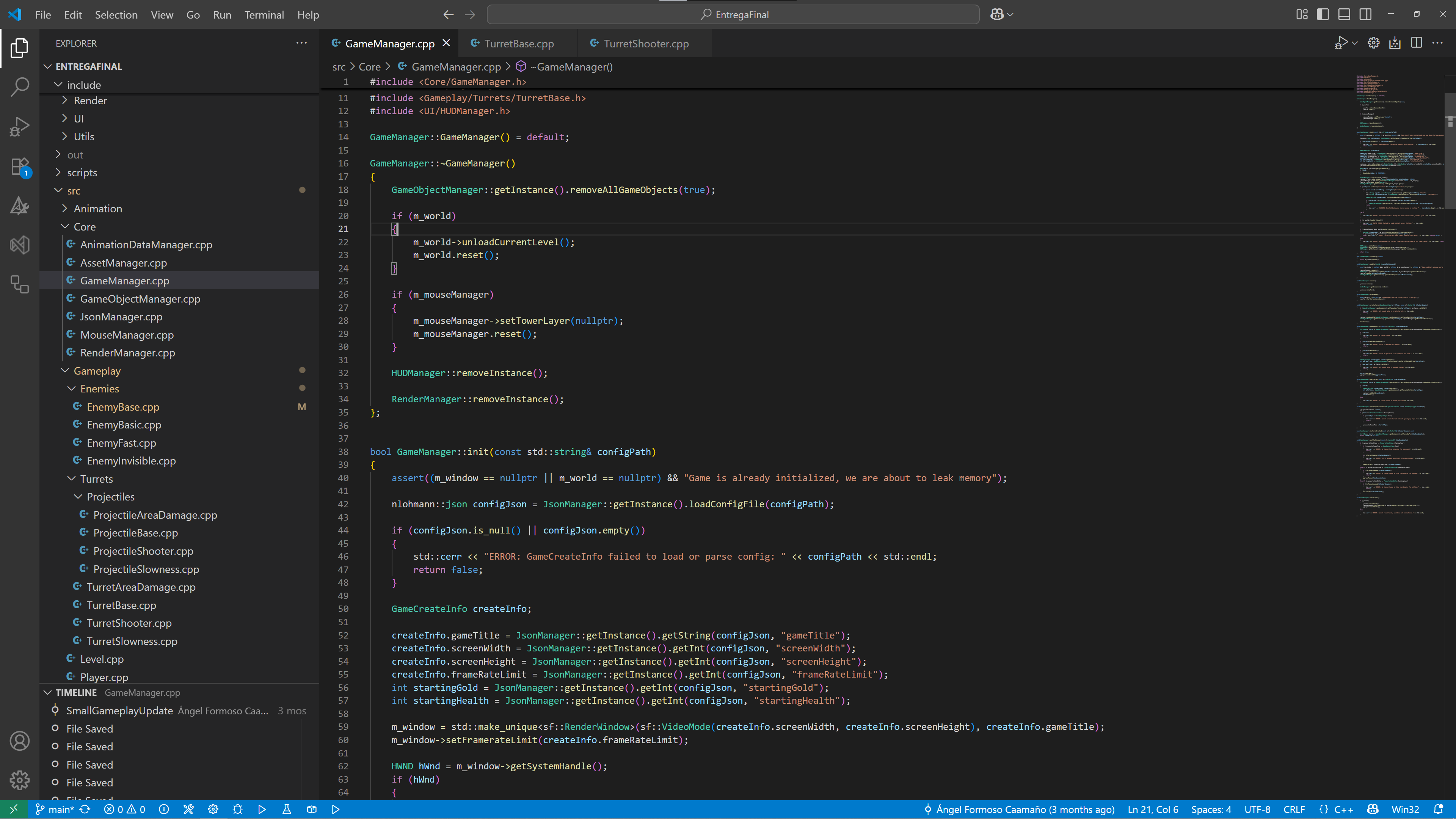
- Game Architecture: Managers for rendering, objects, UI, input, and assets. Object lifecycles handled manually with
std::unique_ptr. - Data-Driven Design: Stats, properties, waves, and animations stored in JSON.
- Animation & Events: Frame-based callbacks to sync attacks with animations.
- Custom UI: HUD fully built with SFML primitives.
Key Advantages
- Full Control: Every object and memory allocation explicit.
- Performance: No engine overhead.
- Flexibility: Freedom to implement mechanics exactly as intended.
Challenges
- Manual memory management required caution.
- Slower development due to coding every system.
- Complex systems demanded careful design.
Unity C# Version
The Unity version prioritized rapid development and polish:
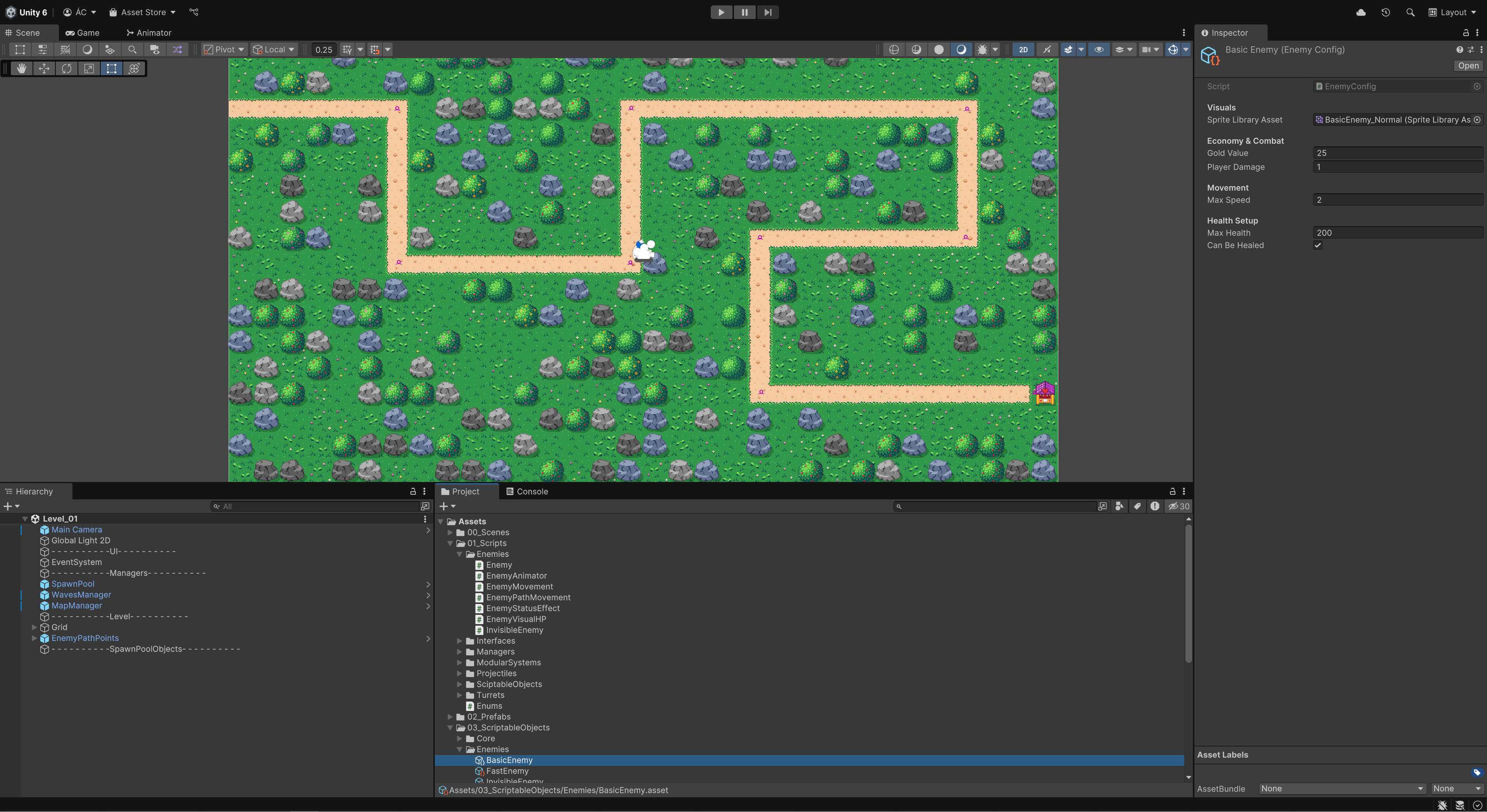
- Scriptable Objects & Prefabs: Modular data-driven design.
- Built-in UI: Quick setup of HUD, tower bar, and menus.
- Improved Visuals: Multiple levels, animations, effects.
- Reusable Systems: Health, towers, enemies, and attacks designed for easy expansion.
Key Advantages
- Fast Development: 1 week vs 3–4 weeks.
- Quick Iteration: Drag-and-drop workflow.
- Engine Tools: Animation and UI built-in.
- Automatic Lifecycle: Garbage collection simplifies memory handling, reducing potential errors.
Technical Challenges:
Both versions required a predictive health system to optimize turret behavior:
- Turrets calculate expected enemy health immediately when firing.
- Enemies marked as “doomed” by incoming attacks are skipped by subsequent turrets.
- Dirty flags mark enemies to be removed once damage reaches them visually.
This system ensures no wasted projectiles and efficient targeting. The implementation is conceptually the same in C++ and Unity, though in C++ it required explicit memory and lifecycle handling.
Reflection
Developing the same game twice highlighted the trade-offs of low-level vs engine-driven development:
| Feature | C++ SFML | Unity C# |
|---|---|---|
| Development Time | 3–4 weeks | 1 week |
| Control | Absolute | Medium (engine-managed) |
| Performance | High | Medium |
| Memory Management | Manual | Automatic |
| Modularity | Requires custom design | Built-in (SO & Prefabs) |
| UI & Visuals | Fully custom | Built-in components |
Key Takeaways:
- C++ gives maximum control and performance, but at higher cost in time and complexity.
- Unity enables fast prototyping, polish, and modular expansion.
- Both reinforce principles of game architecture and optimization.